
How to Make a Window Peeper Video From One Photo
A simple guide to making the Window Peeper trend with one photo, including photo choice, framing, and posting tips.
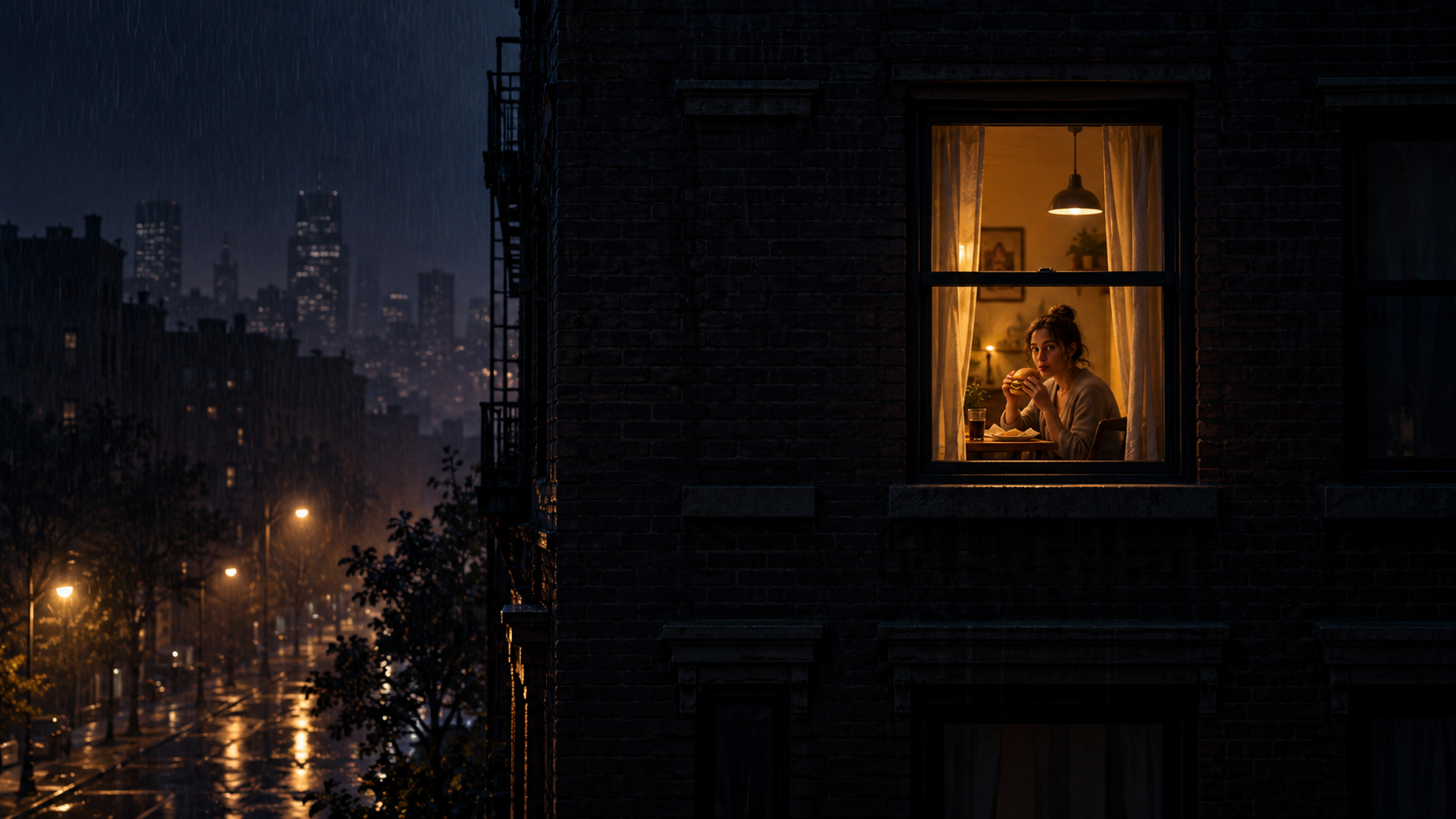
The Window Peeper trend looks like a tiny cinematic story: a quiet exterior, one lit window, a fast zoom inward, and a subject who suddenly realizes the camera is there. The timing feels elaborate, but the simplest way to recreate it starts with one photo.
This guide explains how to make a Window Peeper video without building a timeline from scratch. If your photo is ready, open the Window Peeper AI video generator and follow along.
What you need
You need one clear photo. A portrait taken on a phone is fine; the important part is that the face reads quickly on a small screen. Look for:
- a sharp face with visible eyes and expression;
- even light rather than deep shadow;
- a clean outline around the head and shoulders;
- enough image size to avoid a pixelated crop;
- a pose that still looks natural when the camera appears to move closer.
You do not need to photograph a building or window. You also do not need to upload a reference clip. The Window Peeper scene supplies that visual language around your photo.
Step 1: Choose the right photo
Start with the original image instead of a screenshot from social media. Screenshots are often smaller and more compressed, which becomes obvious during the final close-up.
The best photo is not always the most polished one. The trend works because the final stare feels unexpected, so a slightly candid expression can be more convincing than a formal studio pose. Try a photo where the subject looks toward the camera, or only slightly away from it.
If you are comparing several options, use the Window Peeper photo guide before generating.
Step 2: Upload and check the preview
Open the generator and choose your photo. Before continuing, check the crop on the same device where you are working.
Ask three quick questions:
- Is the face recognizable without zooming the page?
- Is there room around the head and shoulders?
- Does the subject stand apart from the background?
If one answer is no, switching photos is usually faster than trying to rescue a weak crop. A clean source image gives the zoom and final reveal more visual impact.
Step 3: Generate the Window Peeper effect
Start the effect. The generator builds the exterior-to-window camera move and the final reveal around the uploaded image. There is no long prompt to write and no sequence of keyframes to arrange.
When the result appears, watch it once without pausing. The Window Peeper trend depends on rhythm: the establishing view should create curiosity, the zoom should feel decisive, and the final look should arrive as the punch line.
Step 4: Prepare the post
The vertical result is suited to TikTok, Instagram Reels, YouTube Shorts, and similar feeds. Keep the caption short enough that the video remains the joke. Good caption angles include:
- “POV: you looked up at the wrong moment”
- “Why was the window already open?”
- “Caught during the most important bite”
Platform audio, a single line of on-screen text, or a reaction emoji can add context. Avoid covering the face or the window during the final reveal.
How to do the Window Peeper trend without CapCut
If you searched for a Window Peeper CapCut template, you may have found a workflow based on replacing clips in a prebuilt edit. That route is useful when you want manual control over cuts and overlays. The one-photo AI route is shorter: choose the image and let the generator create the complete visual beat.
Our Window Peeper AI vs CapCut comparison explains the difference in more detail.
Quick checklist
Before you generate, confirm that:
- the image is sharp;
- the face is easy to see;
- the crop leaves breathing room;
- the background does not swallow the subject;
- the expression fits the awkward final look.
That is the whole workflow. Make a Window Peeper video from your photo, then keep the version whose final stare lands best.
Keep exploring
Related Window Peeper guides
Best Photo Tips for a Window Peeper AI Video
Choose a sharper portrait, better crop, and more readable expression for a one-photo Window Peeper AI video.
Read articleTrend guideWindow Peeper Trend: Meaning, Meme and Effect
Learn what the Window Peeper trend means, how the burger-window meme works, and how creators remake the AI window-zoom effect.
Read articlePut the guide into practice
Make your Window Peeper video.
Upload one photo and create the complete 15-second window-zoom moment.